**Examples below show the general location of the label. When doing a replacement, please provide a zoomed-in image of the label to support.
Two types of Serial Numbers
Older products have the number serial scheme: 0003223795601.
Newer products have the letter and number serial scheme: A13BA244A1AMEO.
Label Location
*images for reference, models may vary
HID Products
Mice: Label taped around the cable. For wireless, it's on the underside of the mouse. The part number begins with "CH-".
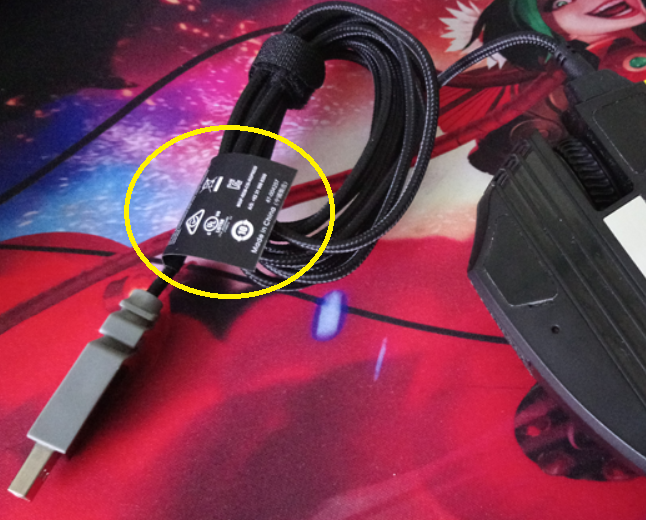
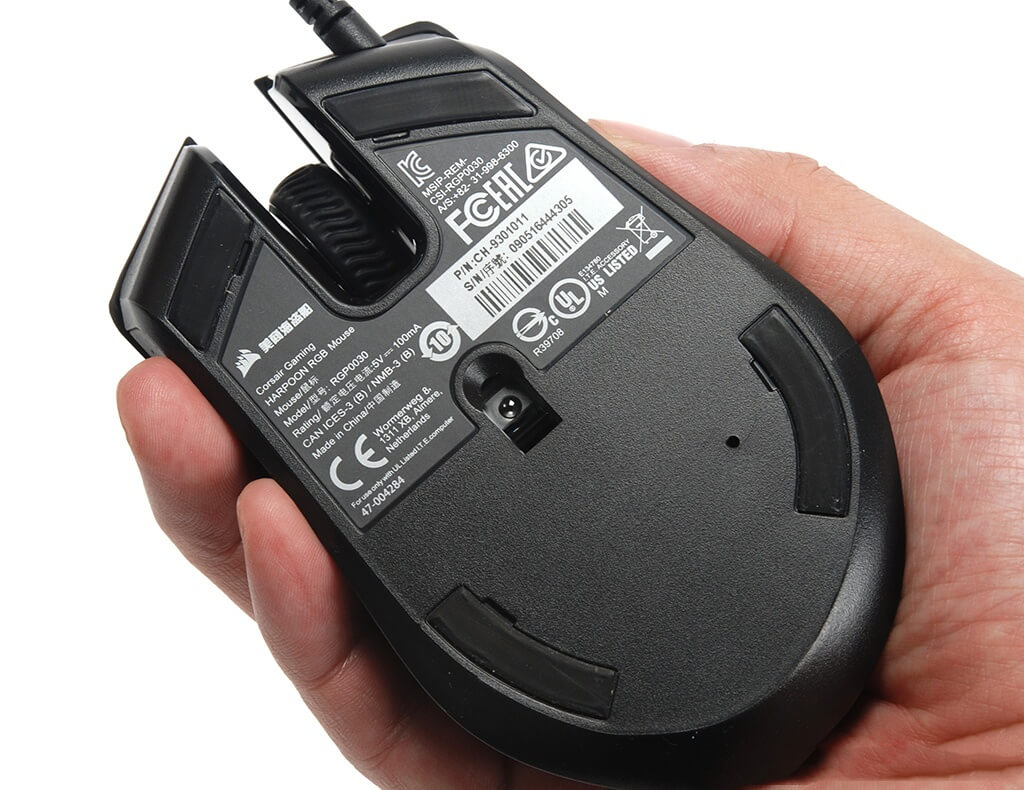
Mousepads: For RGB mousepads, the label should be under the RGB hub, a label attached to the cable, or on the box if not on the unit. The part number should begin with "CH-."
Keyboards: Underside of the keyboard, may be near cable attachment point. The part number should begin with "CH-".
Lighting Controllers: Back side of hub.
Novablade: With the faceplate removed, it will be in the top left above the barcode
Headsets: The part number should begin with "CA-"
Series |
Type |
Label location |
Image |
| HS series |
HS50 HS60 HS70 HS70 PRO |
Some older HS series headsets have the sticker under the left ear cup; you must use a flat, plastic pry tool to remove the ear pad. | |
|
HS55 HS65 |
underneath left earpad, twist clockwise | ||
|
HS80 HS80 MAX HS80 RGB USB |
underneath right earpad, twist the earcup clockwise to remove it, then twist the earcup counterclockwise to reattach it |
|
|
| Virtuoso series |
Virtuoso Virtuoso SE Virtuoso XT Virtuoso MAX |
orient headset like the photo example, twist the right earpad to the right to remove, label is under the foam ring | |
| Virtuoso PRO |
Part number is on the right inner side of the headset. Extend the headset to reveal the lettering.
|
|
|
| Void series | Void | inside of the headband, near the left earcup | |
| Void Elite | right-side headband, the sticker on the inner side of the headband near the right ear cup. You may need to extend the headset to see the sticker fully. | ||
| Void v2 | underneath left earpad |
Furniture
Gaming chairs: Underneath the seat of the chair. The part number should begin with "CF-"
Desks: Underneath the tabletop. The part number should begin with "CF-"
Left leg for height-adjustable desks
Monitors: On the Back of the Display or the Stand.
DIY Products & Pre-Built Gaming PCs
CorsairOne Gaming PC: On the bottom, the part number should begin with "CS-"
Cases: On the rear panel, near the PSU slot on the bottom, or the top of the back panel. The part number will look like a barcode with numbers below it.
AIO Coolers: Side of the radiator, not the fan. The part number should begin with "CW-"
Fans: The Serial Number is on the outer side of the Frame. The part numbers are on a circular sticker in the center of the fan's back.
Solid state drives: Label is on either side, front or back. The part number should begin with "CSSD-". If applicable, the label for a heatsink is underneath itself.
Memory modules: Side of each module in the kit. The part number should begin with "CMK" but this isn't always the case. Vengeance and Dominator series have different prefixes.
PSU: Side or top of unit. The part number should begin with "CP-"