Galleon 100 SD Beta Firmware
Updated
Please note this Galleon 100 SD Firmware is in Public Beta.
To update the Firmware to the Beta version, download the file located at the bottom of this page and follow the steps below.
- Download the Zip at the bottom of the Article.
- Navigate to the Firmware Updater Utility: https://www.corsair.com/firmware-updater/index.html
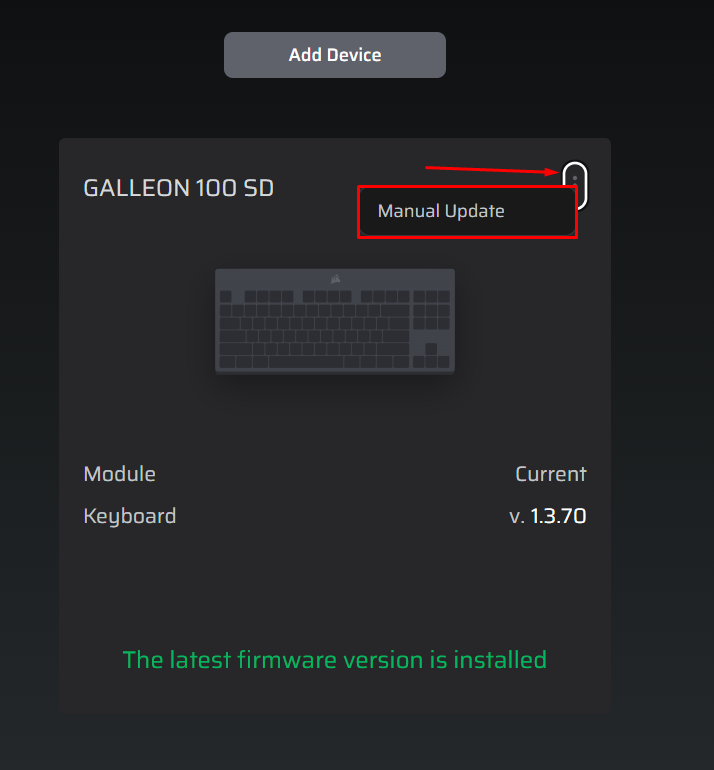
- With the Keyboard Plugged in and detected, select the 3 Vertical Dots on the top right corner of the device tile.
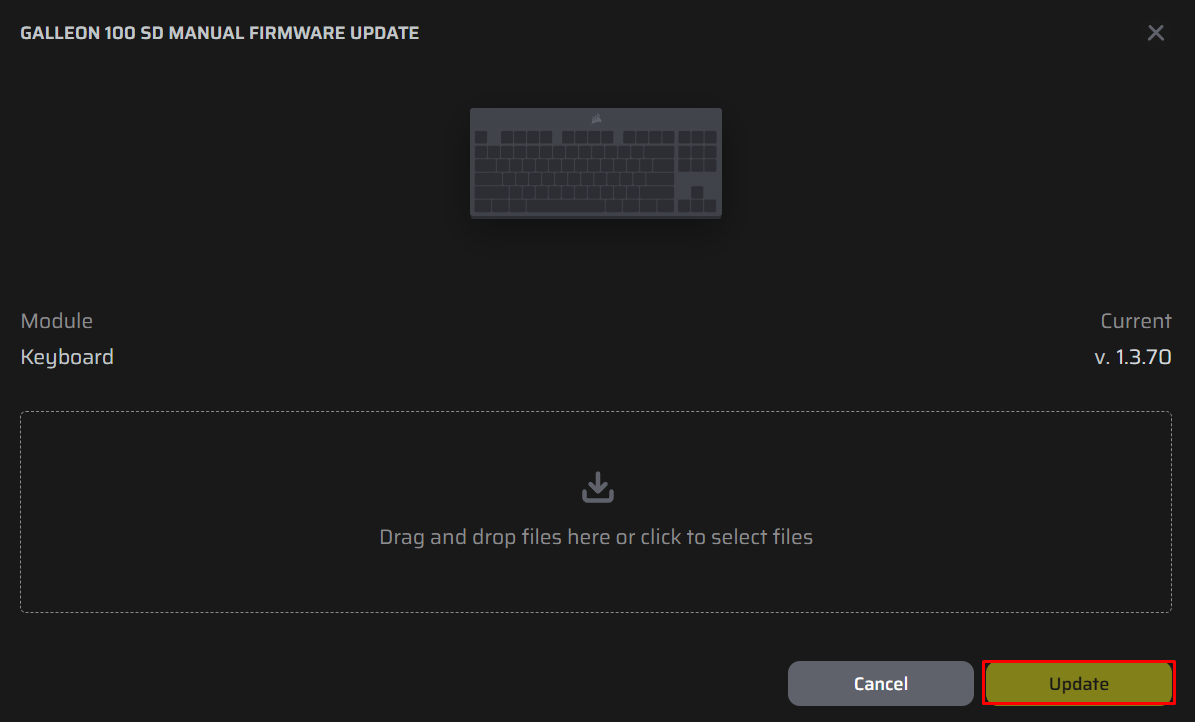
- After selecting the "Manual Update" there will menu to drag and drop the file into.
- Once selected, hit "Update".
If you experience any issues, please reach out to our dedicated support team.